Changes in V2.5.3
Overview
Lightning Review 2.5.3 adds features that many users have requested.
Review files created with this version cannot be opened with older versions of Lightning Review.
(The same applies if you overwrite a review file created with an older version using this version.)
- LightningEdit
- ScriptEditor
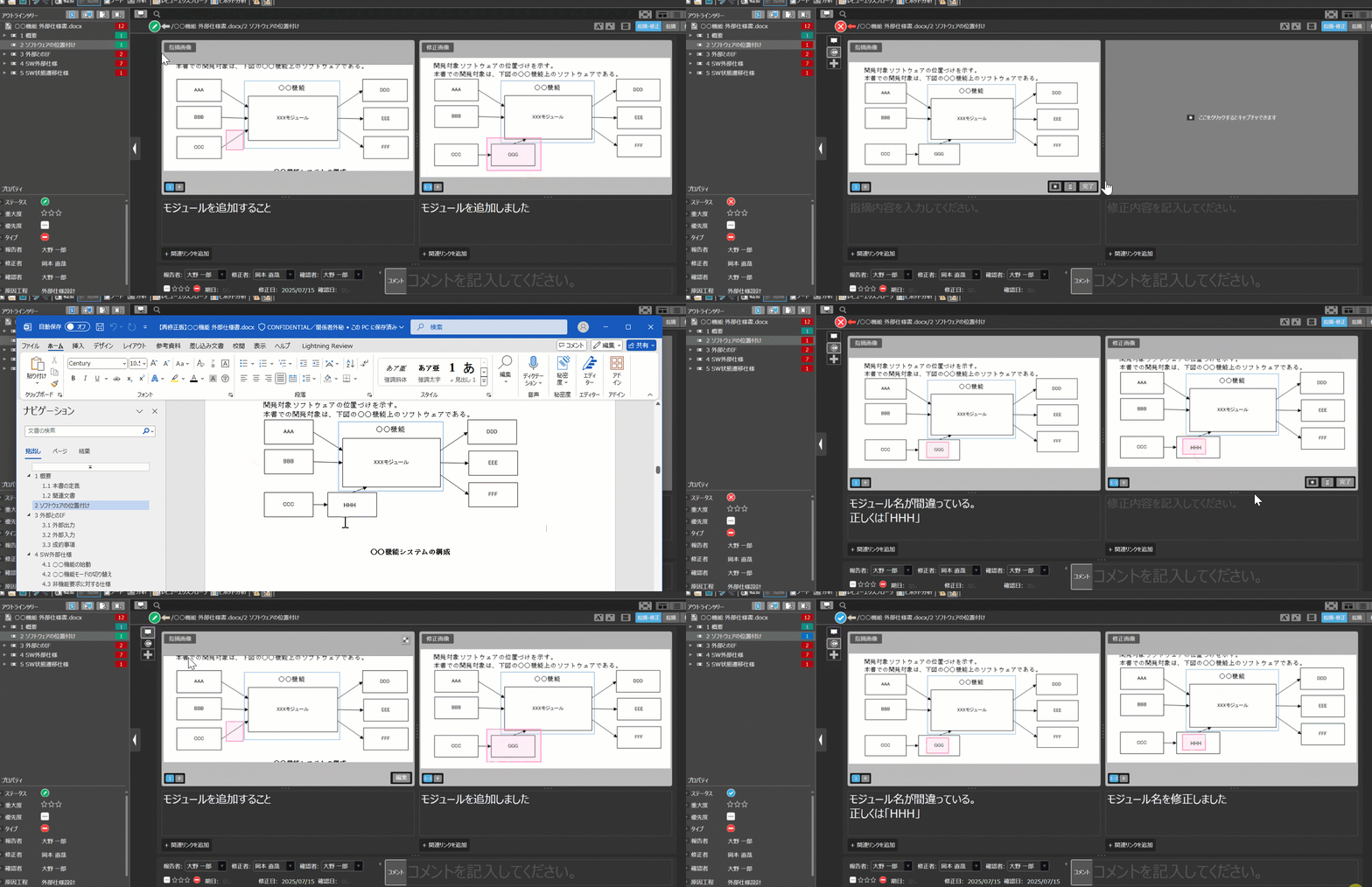
Support for managing the history of reverts and corrections
See the history of comments and corrections at a glance!
In previous versions, it was difficult to understand which comment each correction addressed, often leading to complicated communication.
This version manages "comments" and "correction results" as a single set, and displays the communication chronologically using tab switching.
This allows you to clearly understand the flow of past communication.
For details, please refer to "Returning Comments".
From this version onwards, all returns will be listed in tabs, and the "Return" column will no longer be displayed.
"Return" entries in old version review files will be automatically added to the comments column in a new tab.
(A confirmation dialog will appear the first time you open a review file after upgrading to the latest version.)
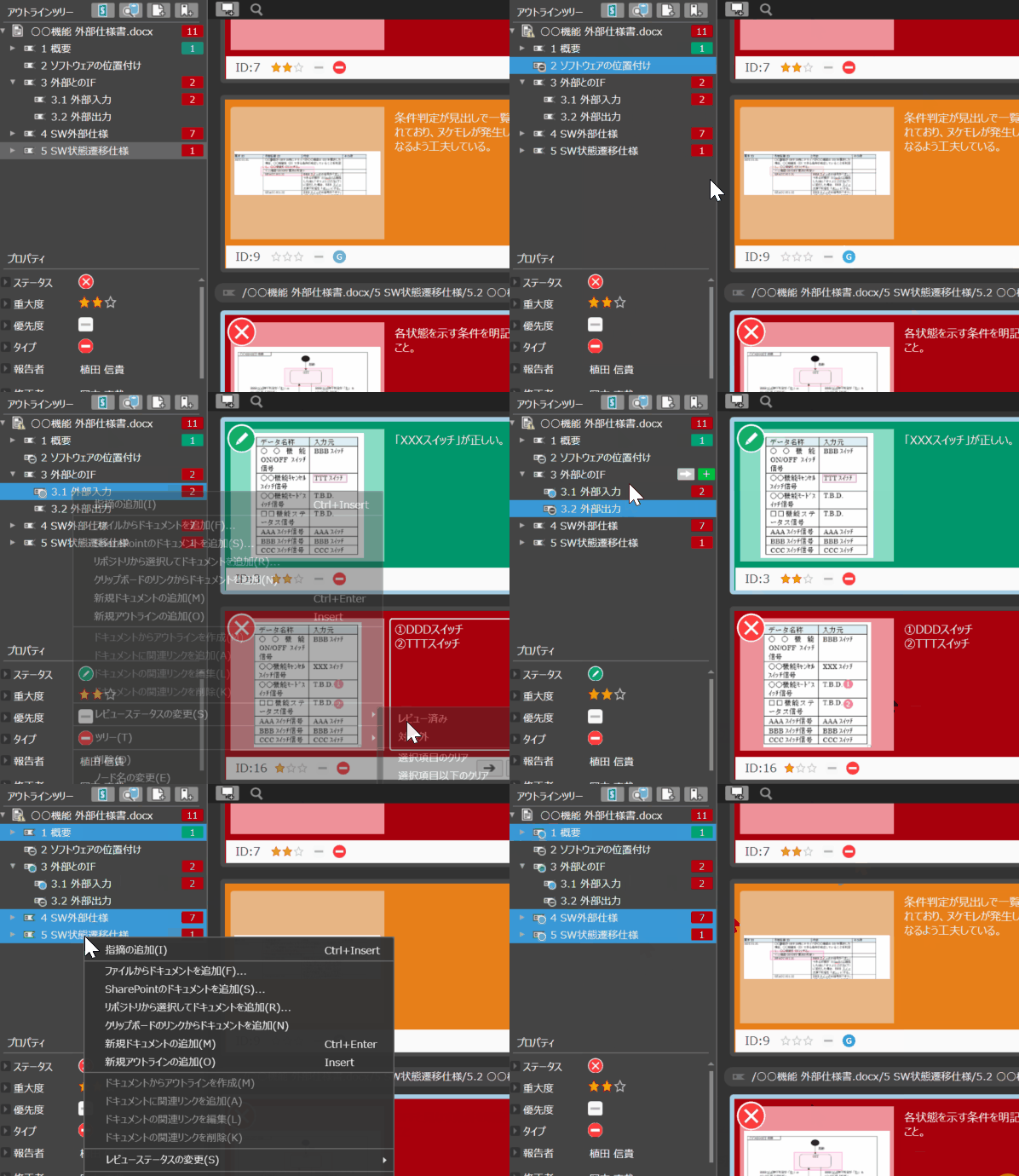
Managing Review Status by Outline
Clearly Define "Where to Review"!
When making partial changes to design documents, it was difficult to determine which chapters were subject to review, increasing the risk of overlooking details.
In this version, you can now set "Not Subject to Review/Review Completed" for each chapter on the outline tree.
Icons indicating the status allow you to grasp the situation at a glance.
For details, please refer to "Managing Review Status by Outline".
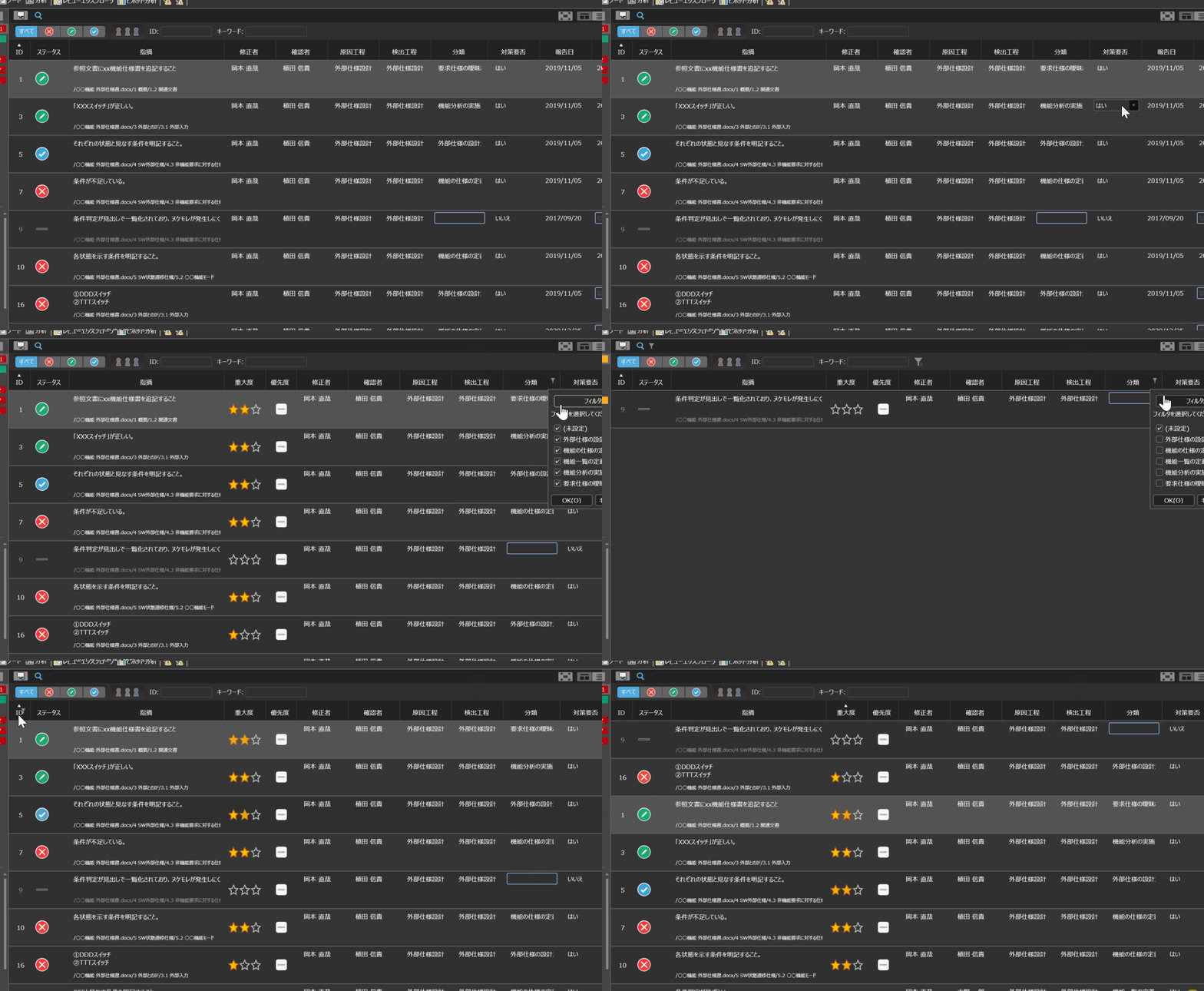
Grid View Now Supports Sorting and Filtering, Making It Easier to Understand the Status of Issues
Quickly Find the Issue Information You Need!
The grid view UI has been revamped, allowing you to freely switch the display/hide of columns.
In addition, flexible sorting and filtering allow you to efficiently extract the necessary information.
For details, please refer to "Checking with Grid View".