When a document name contains "/", opening the file results in the document being split or becoming unopenable.
Target Versions
Lightning Review 1.8 to 2.5.1
Phenomenon
When a document name contains "/", opening the file results in the following phenomenon:
Case 1: When there is one "/"
When the review file is reopened, the node is split into multiple parts at the "/" location.
- When registering the document name in the outline:

- After reopening the file:
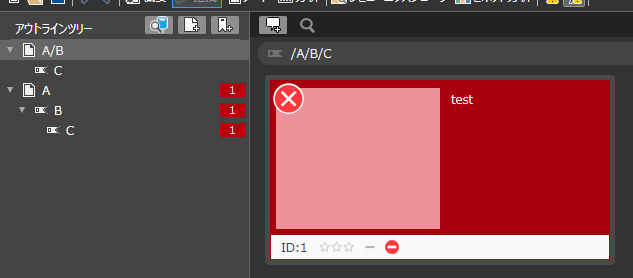
Case 2: When there are two consecutive "/" characters:
An error occurs when opening the review file, and the file cannot be opened.
Workaround:
Please use other characters such as "" instead of "/".
Recovery Method in Case of Problem:
- If there is one "/": Manually correct the outline and replace the "/" in the document name with another character.
- If there are two consecutive "/" characters:
-
Please send the details of the error to support.
-
Support will check the error details and contact you with a recovery method.
(Recovery is possible; we will guide you through the procedure after confirming the issue.)